Showing posts with label Productivity. Show all posts

Sunday, February 24, 2019

Coding Interview: The Game Plan

I am doing interviews few times a year, and it's probably not enough[1]. Opportunities aside, I learn a valuable lesson every time.
Interview pressure uncovers weaknesses. Mine are overcomplication, impatience and panic:
  • I somehow expect the problem to be hard. So, I dismiss valuable cues and intuitions if they look too obvious.
  • If I feel a hunch, I dive in without full understanding. I keep stepping on this rake... and solving a wrong problem!
  • I the problem sounds intimidating, I panic and freeze, not knowing where to start.

Brute-force

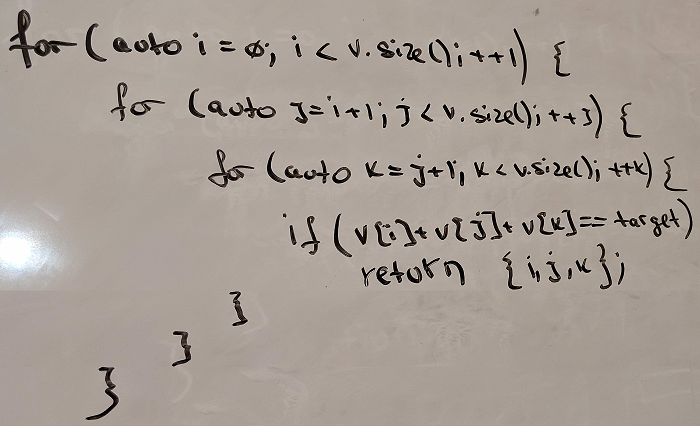
To compensate for these weaknesses, I now start with a simplest solution that comes to mind. I work on a naïve solution first, clarifying my understanding, and then brainstorm ideas to improve it.
Structuring your work this way reduces the cognitive load when you start working on an improved solution.
This is an intuitive and well-recommended technique. However, I feel that candidates are afraid to look inexperienced and skip this step. As an interviewer, you may want to offer your candidate to start easy.
image

The Game Plan

It helps to mentally structure the interview into phases. The opening is important as it sets the tone, and brute-force can help you get through. Early phases are head-up: collaborate, learn and explore. Late phases are head-down: focus and deliver.
The game plan also helps manage your time and deliver a solution before the interview is over.

Tuesday, July 3, 2018

Coding Interview: Pseudocode

"Interview is an artificial reality designed by companies to keep people out" - Manager Tools
Many companies won't offer helpful feedback on your interview performance. I think that feedback is a fair game, and the process should be transparent.

Pseudocode

This is a follow-up on the older post, Interview Insider: Coding fluency. A reader asked my opinion on using pseudocode to document his thoughts while working on the solution. Specifically during a phone screening, when diagramming may not be a possibility.
I want to start by quoting Steven Skiena's TADM[1]:

Tuesday, May 8, 2018

Productivity Tips: Git merge

If some rather mindless activity takes 20 minutes out of your day on most days, it’s a big deal. That's two weeks in a given year you would rather spend in Hawaii. For a medium-size team, improving the productivity to save these 20 minutes is like hiring one more developer.

Efficient Git merge


I am still new to Git, and I am really liking it. The workflow I learnt from tutorials was to create a local master branch and another local branch for a pull request. To get new changes or resolve conflicts, you switch to the local maser branch, pull it, switch to the other branch, and merge from the local master branch.

The problem here is that Visual Studio reloads the solution when you switch branches. For the solution with ~100 projects, it took up to 3 minutes, times two as you need to switch back to the other branch.
I felt there must be a better way, but for several months I stuck to what I knew. To my surprise, many of my teammates (seasoned folks) were doing the same. This tip allowed merging without switching the branch, which made our day more productive and enjoyable.